CQG Desktopを使った電力先物取引のご紹介

初めての電力先物取引には、CQG Desktopがお勧めです。直感的な操作で、トレーダーの皆様の電力先物取引をサポートします。


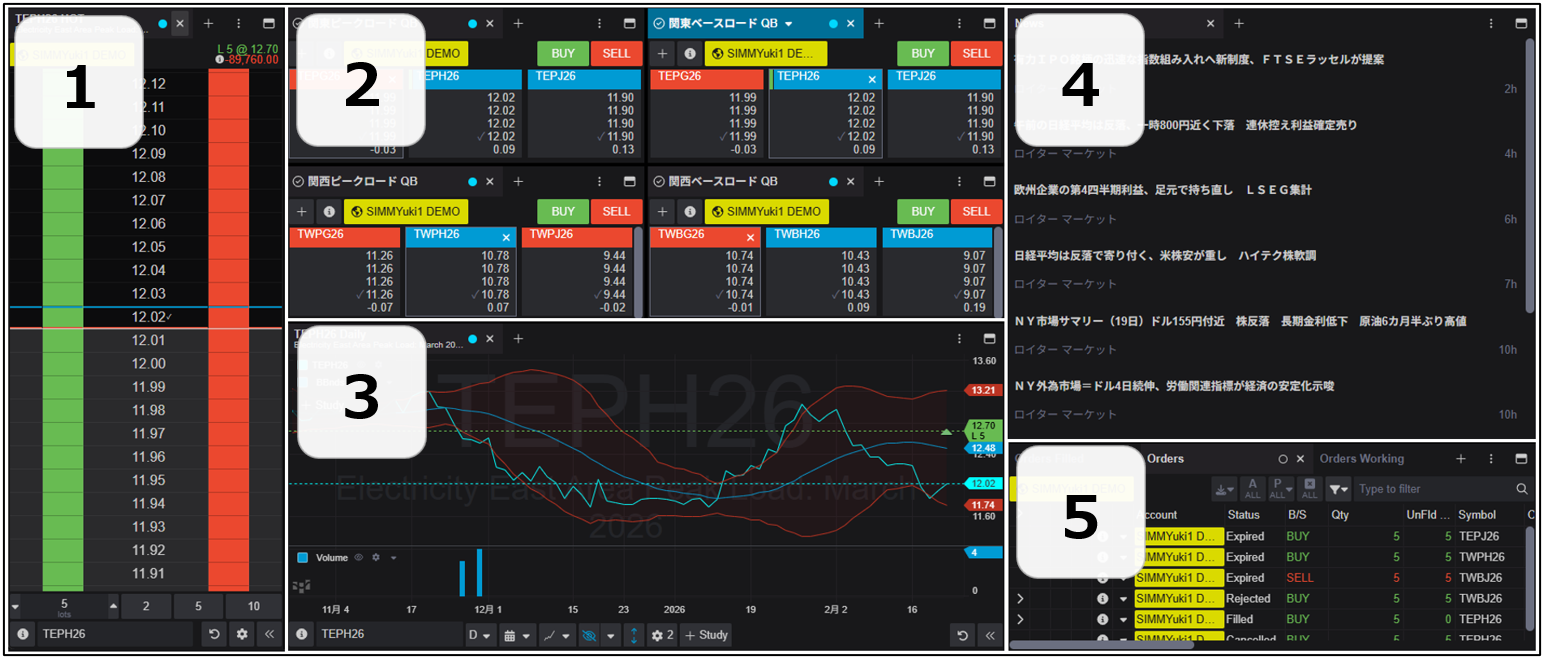
CQG Desktopの画面構成例と各機能紹介
powerfutures1

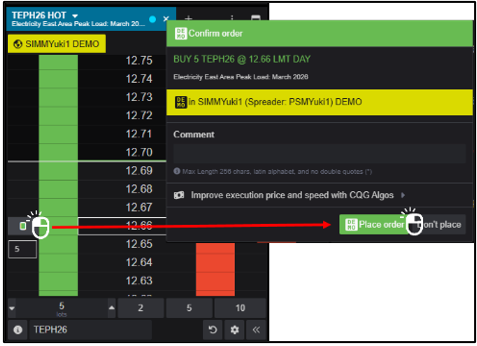
①発注機能(板画面)

powerfutures2

発注価格横のカラムをクリックするだけで発注が可能です。

確認画面付きで、誤発注対策としてお使いいただけます。


②相場表、③チャート

電力先物をはじめ、原油、ガソリンといったエネルギー相場を閲覧できます。グローバルの取引所データを閲覧することが可能です。

チャート、移動平均線やボリンジャーバンドなど、40を超えるテクニカル指標を追加できます。


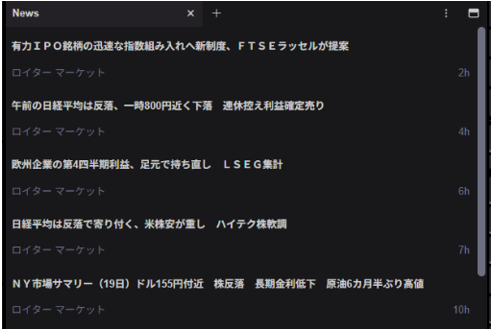
④ニュースの閲覧
powerfutures3

RSSフィードを取得することで、様々なニュースソースを追加し、独自のニュースタイムラインを構築できます。


⑤建玉の管理

注文状況、建玉の損益、1日の取引結果確認など、注文の管理をこの画面で行ないます。


詳細はCQGサポートデスク(050-3198-9966, tokcsp@cqg.com)までお問い合わせください。


Disclaimer

Trading and investment carry a high level of risk, and CQG, Inc. or its affiliates do not make any recommendations for buying or selling any financial instruments. We offer educational information on ways to use our sophisticated CQG trading tools, but it is up to our customers and other readers to make their own trading and investment decisions or to consult with a registered investment advisor. The opinions expressed here are solely those of the author and do not reflect the opinions of CQG, Inc. or its affiliates.